Now on the App Store — Android coming soon

LabeLog

Just photograph the label,
and it joins a cellar of your own.

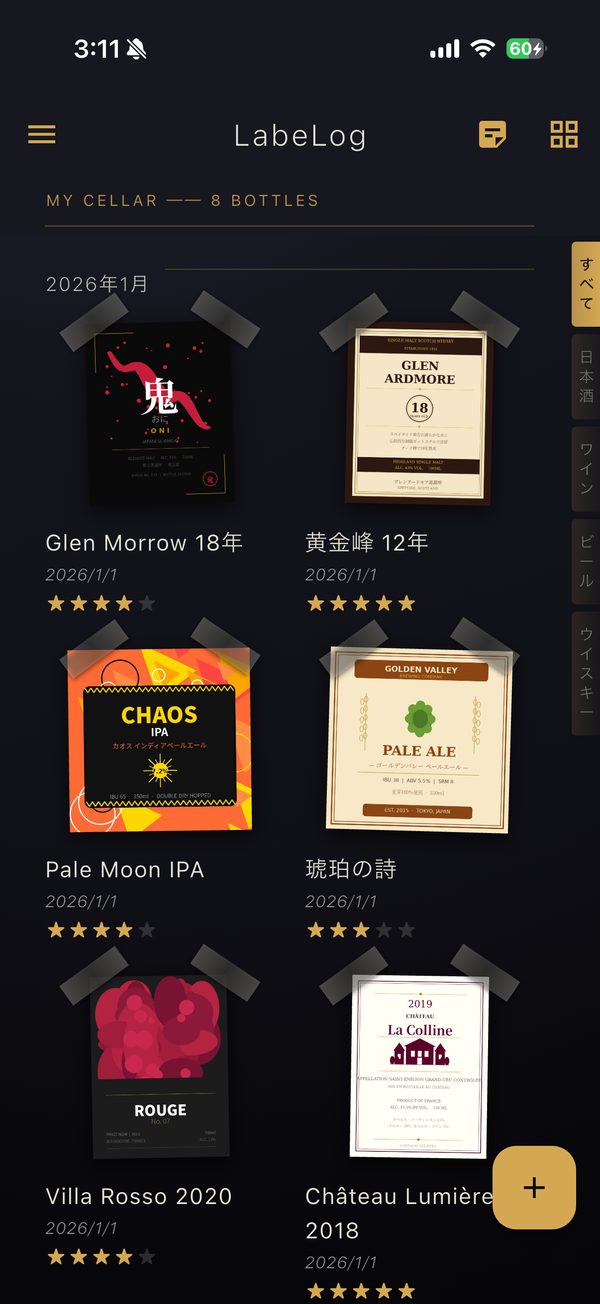
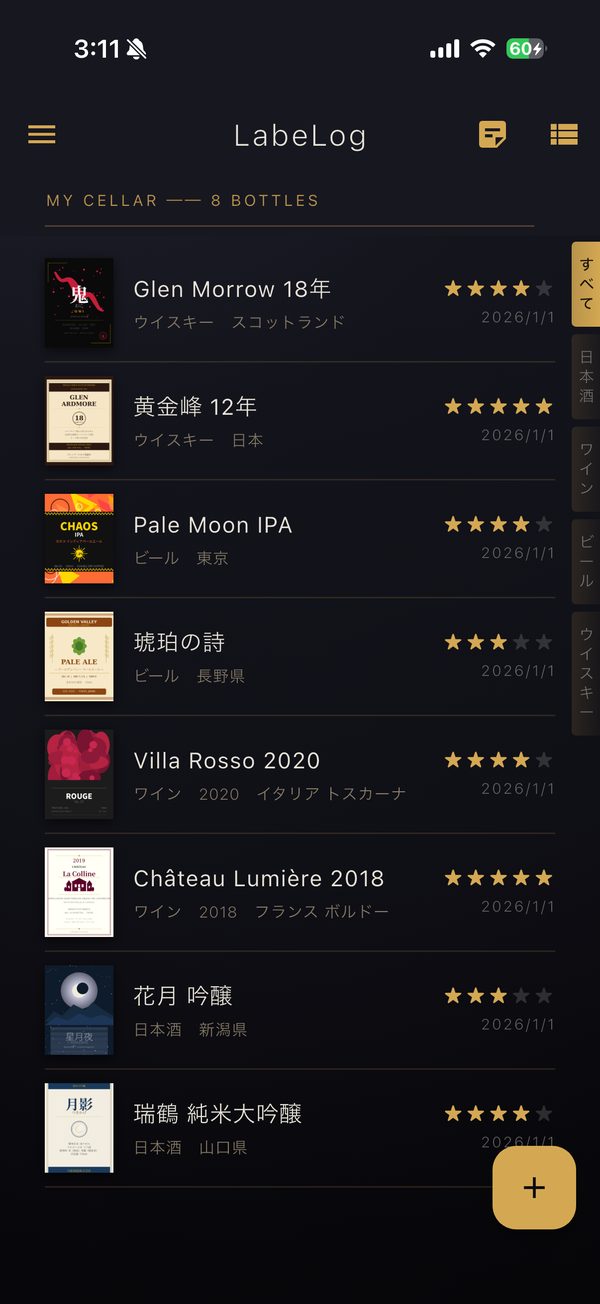
LabeLog is a drink journal app. Photograph a bottle label, and LabeLog detects and straightens it automatically, then adds it to a beautiful digital cellar. Sake, wine, beer, whisky, shochu. Start a collection that's yours alone.

8 Bottle types
AI Label reading
0 Ads
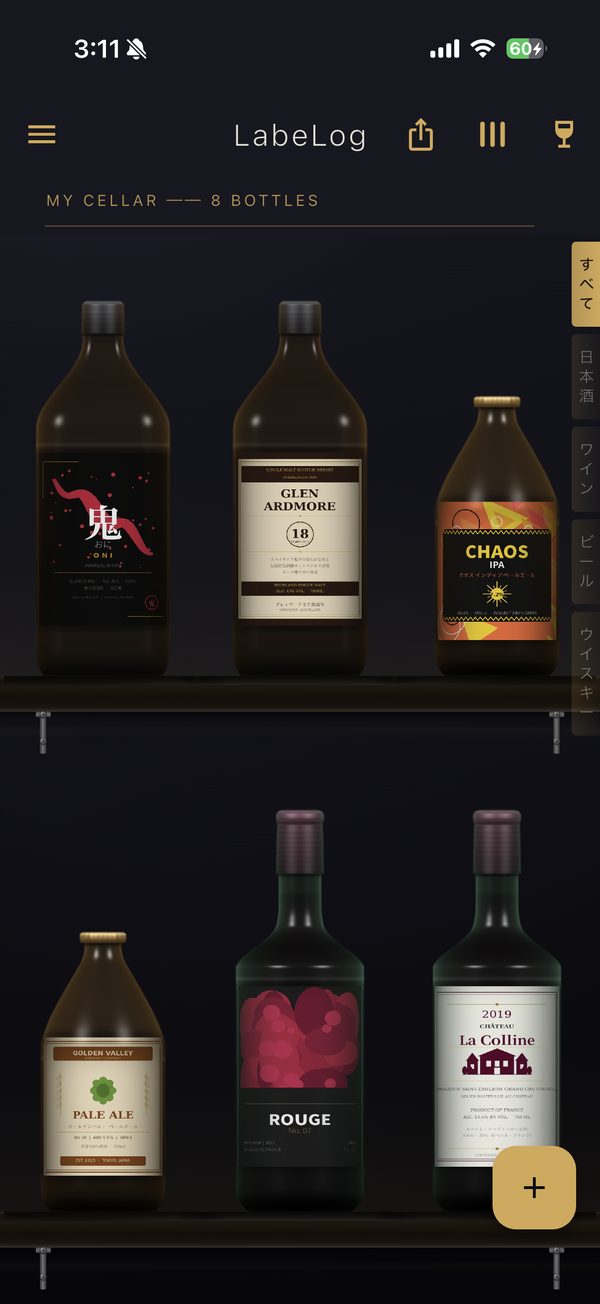
LabeLog's cellar screen. Photographed labels are wrapped around bottles lined up on the shelves

Shoot, crop, and keep a record of every drink.

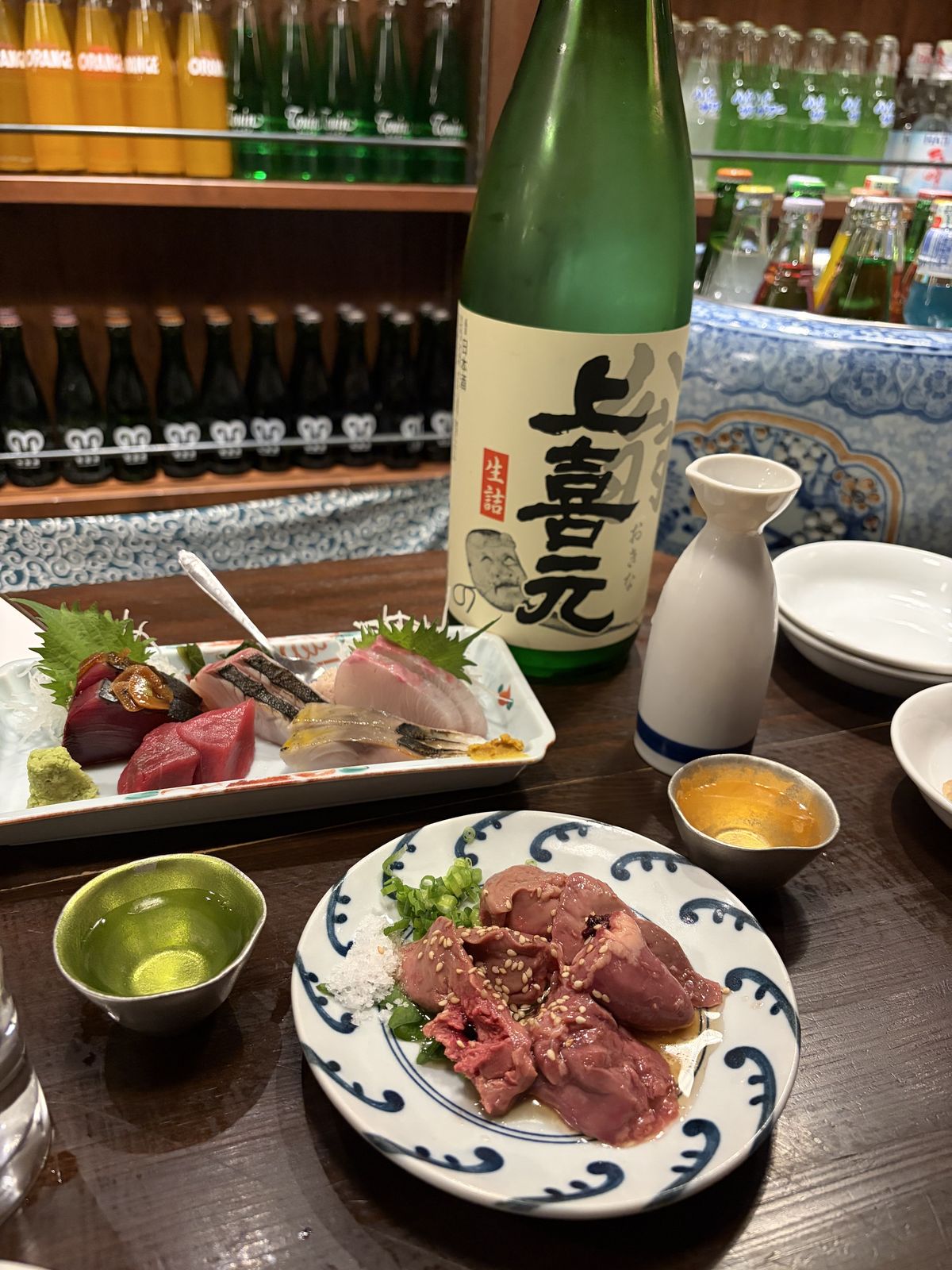
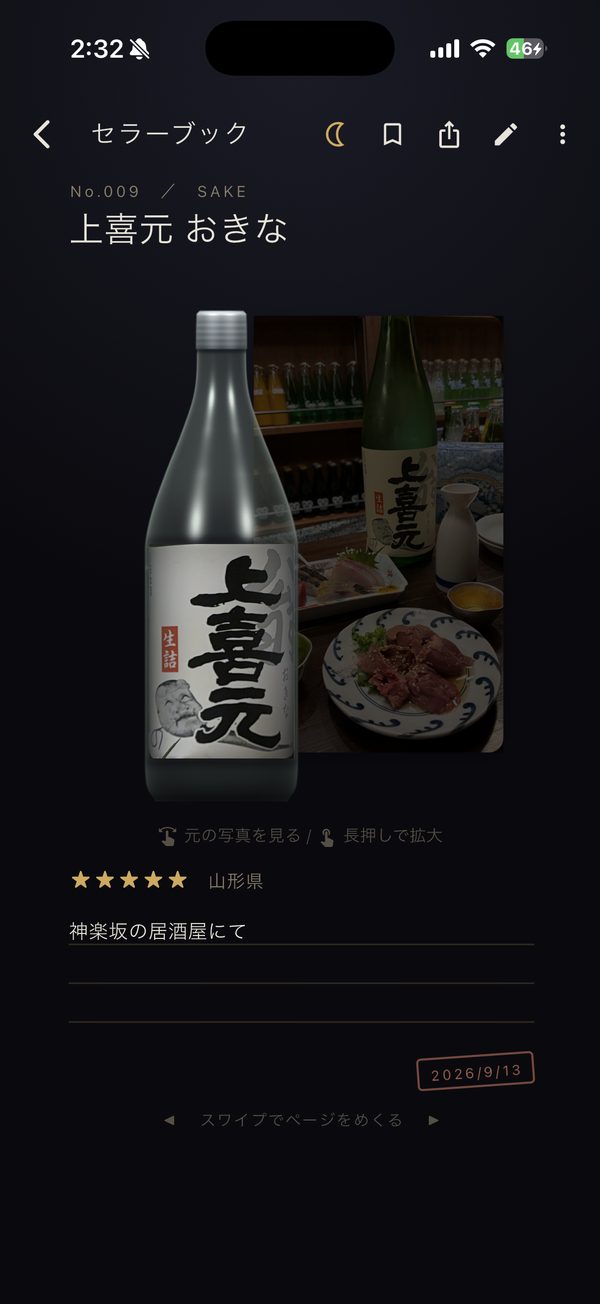
A bottle of Jokigen sake on an izakaya table
Background and all is fine, as long as the label shows
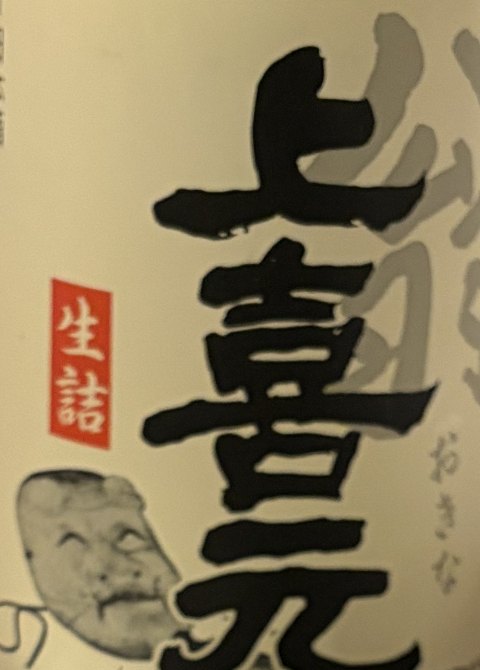
The cropped Jokigen label
Name
Type
Origin
Notes

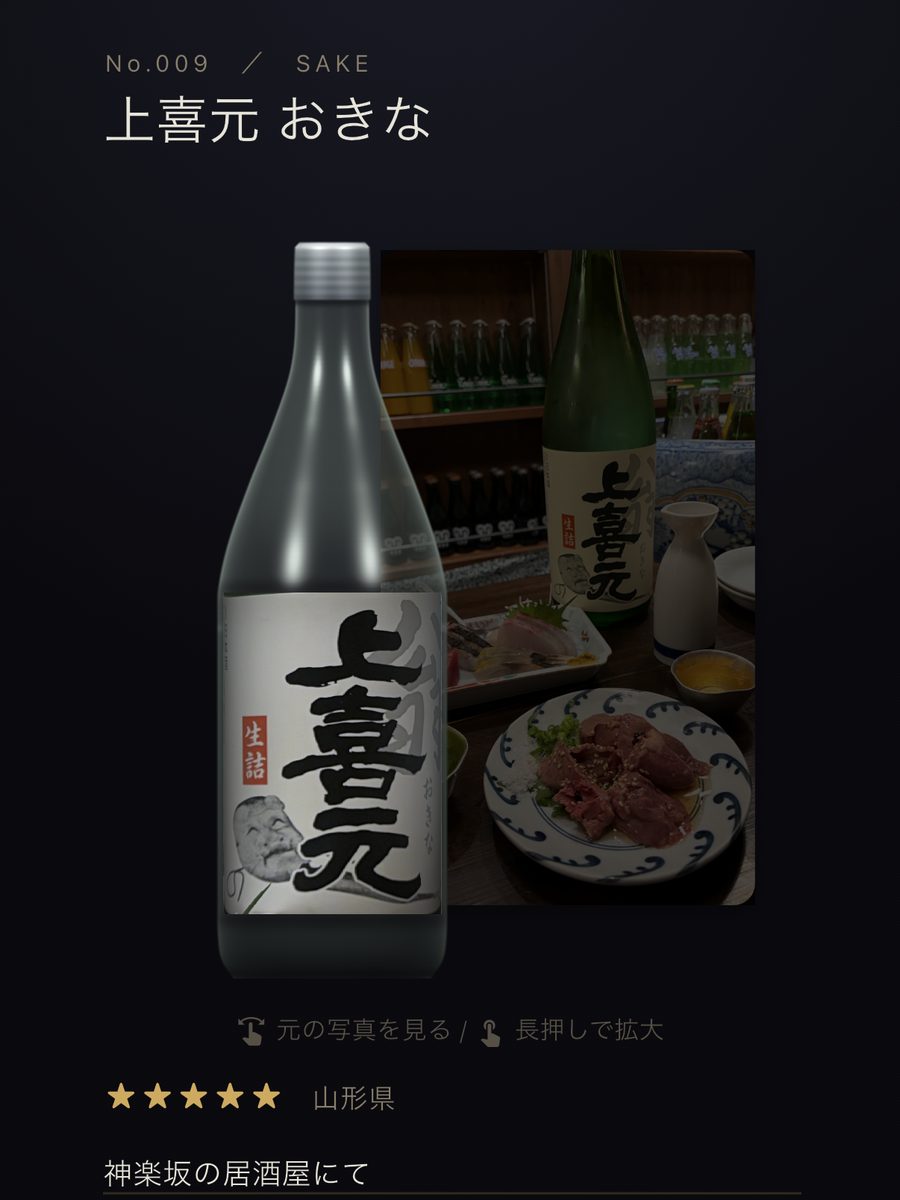
The Jokigen page in the Cellar Book Saved to your Cellar Book
  1. 1

    Photograph the label

    It's fine if sashimi or a sake flask is in the shot too. You can also pick from photos you've already taken.

  2. 2

    Adjust the frame

    The label's outline is detected automatically. With handles at the corners and the middle of each edge, you can even follow the curve of the bottle.

  3. 3

    AI fills it in

    AI enters the name, type and origin. All that's left is a few words about that evening.

  4. 4

    Kept in your Cellar Book

    The label is wrapped around a bottle and given a page of its own, next to the photo you took.

Bottle details screen. The cropped label and the original photo

Record each bottle with care

Tap a bottle to open its details. Record the name, type, vintage, origin, where you bought it, notes and rating. Swipe a bottle sideways to flip it over, and you can look back at the original photo you took, along with the memories of that day.

Start your cellar.

Available on the App Store (Android coming soon). No ads, no account needed.
AI helps read the labels of your first few bottles.

Coming soon App Store
Coming soon Google Play